

500+ Mini Embroidery Designs Bundle – Seasonal & Everyday Icons
Explore 500+ mini machine embroidery designs covering seasonal celebrations, animals, hobbies, and everyday themes.
- Fall, Halloween, Christmas, wedding, and baby themes
- Formats: DST, PES, EXP, JEF, VP3, and HUS
- Digital files supplied in ZIP folders
- PDF guide with access to your download folder
- Embroidery machine required — no physical item shipped
Check the dimensions of your selected design against your machine’s usable hoop area before stitching.
- Instant downloadFiles delivered right after payment
- Secure checkoutSSL encrypted payment
- Quality guaranteeEvery design is test-stitched
- Friendly supportWe answer within 24h
Description
500+ Mini Embroidery Designs Bundle — Seasonal & Everyday Icons
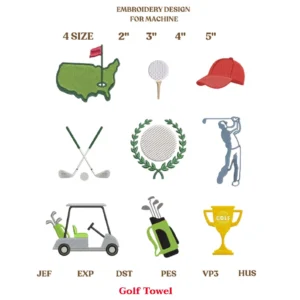
Build a varied collection of stitching ideas with this mini embroidery designs bundle. With 500+ mini icon designs covering seasonal celebrations, hobbies, animals, and everyday themes, this digital collection offers options for many different machine embroidery projects.
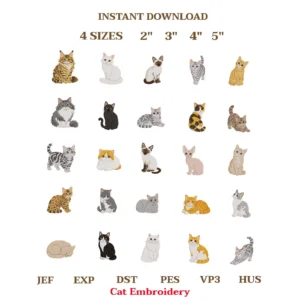
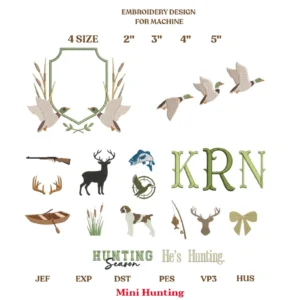
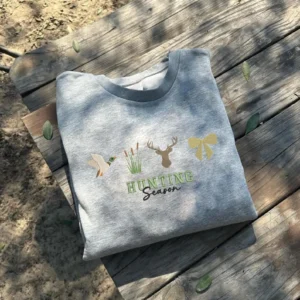
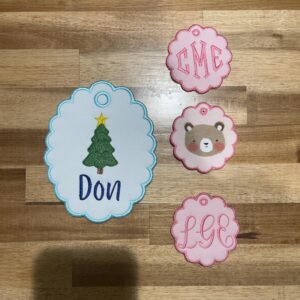
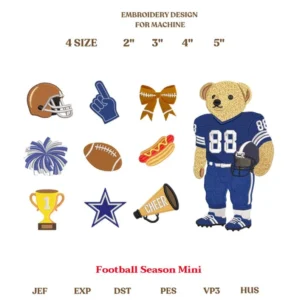
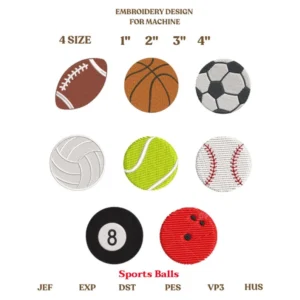
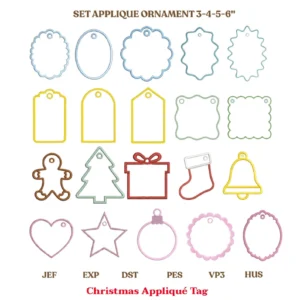
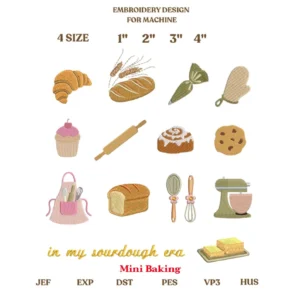
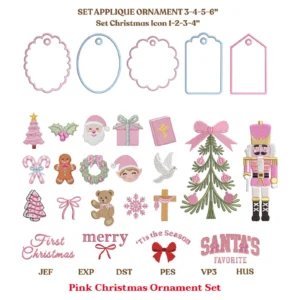
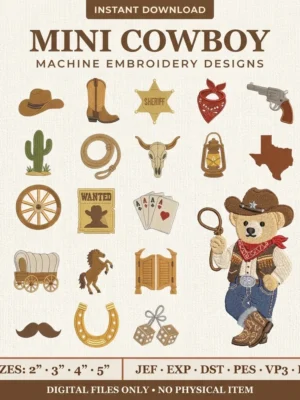
Choose an icon for a handmade gift, add a decorative detail to a suitable fabric accessory, or plan several themed projects from one collection. The product preview shows the variety of artwork represented, helping you decide whether the bundle suits your creative plans before purchasing.
What Is Included?
Your purchase includes digital machine embroidery files for a collection of 500+ mini designs. The included file formats are DST, PES, EXP, JEF, VP3, and HUS. Files are supplied in ZIP folders for downloading and storage.
This listing is for digital files only. No physical patches, embroidered garments, fabric, thread, or finished products will be shipped. An embroidery machine is required, along with a supported method of transferring files from your device to the machine.
A Collection for Different Seasons and Occasions
Explore themes such as fall, Halloween, Christmas, weddings, and baby-related projects. These subjects offer starting points for seasonal accessories, celebration gifts, and items that mark a special occasion.
The preview also includes animals, sports, travel, food, teaching, sewing, and other everyday interests. You can select artwork that connects with a recipient’s hobby or use different designs when planning a group of handmade items. Review the preview carefully to see the style and subjects represented in this bundle.
Ideas for Your Next Embroidery Project
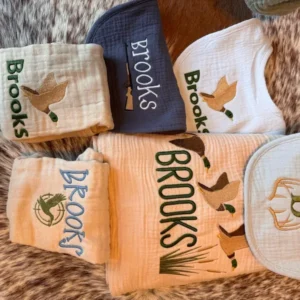
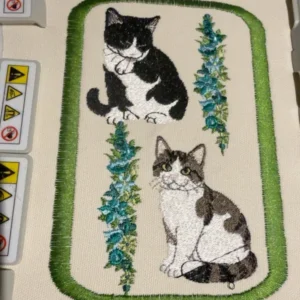
Mini icons can add a decorative touch to suitable clothing, tote bags, pouches, and home décor. Choose an individual motif for a simple placement or plan a coordinated theme across several separate items.
Before starting, check that your fabric item can be hooped and that your machine can access the intended embroidery area. Seams, zippers, pockets, and thick layers can affect placement. Match the design to the available space rather than assuming every icon will fit every accessory.
If you want to combine multiple designs into one layout, compatible embroidery software and additional setup may be needed. Test the resulting arrangement before stitching your final item.
Check Design Dimensions and Hoop Compatibility
The word “mini” describes the collection’s style; it should not be treated as a guarantee that every file fits a particular hoop. Check the actual dimensions of your selected file against your machine’s usable embroidery area before stitching.
Choose a supplied file that fits your project whenever possible. Resizing can affect stitch density, detail, and the finished result, especially with small motifs. Avoid making large changes without checking the modified design and completing a test stitch.
Supported Embroidery File Formats
The download includes DST, PES, EXP, JEF, VP3, and HUS formats. Before purchasing, check your specific machine model’s instructions to confirm that it reads at least one included format. Requirements can differ between models from the same brand.
These are machine embroidery files, not SVG cutting files, printable sewing templates, or hand-embroidery patterns. Make sure you have the equipment and file-transfer method required for your machine before placing an order.
How to Download Your Files
After purchase, download the PDF guide provided with your order. Open it and click “Download Your Files” to access the Google Drive folder containing the bundle.
Download the ZIP files to your device, then extract their contents before choosing a design. Select the compatible format and appropriate file for your project, and transfer it using the method recommended by your embroidery machine’s manufacturer. Keep a backup of the original downloaded folders for future use.
Tips Before Stitching
Always run a test stitch before embroidering a finished garment, gift, or final piece of fabric. Use fabric and stabilizer similar to those planned for your project so you can evaluate the result first.
Follow your machine’s guidance for hooping, needles, thread, and stabilizer selection. Avoid changing the stitch order or merging colors, as these edits may affect the artwork. Small details deserve careful testing, so assess the selected design at its intended size before committing to the final item.
Personal and Small-Shop Use
You may use these designs for personal projects, handmade gifts, and small-shop production of finished physical items, subject to the usage terms supplied with the files.
The digital files themselves may not be resold, shared, redistributed, or given away. They may not be included in another digital bundle or uploaded for others to download. Purchasing the files does not grant permission to distribute the underlying digital artwork.
Explore the preview, check your machine’s requirements, and choose your next project from this mini embroidery designs bundle.
Frequently asked questions
How will I receive my files?
Right after payment you get a download link on the confirmation page and by email. The files are also saved in your account.
Is this a physical product?
No. This is a digital download — nothing will be shipped.
What if the file does not work on my machine?
Contact us and we will convert it or help you fix it for free.
Customer reviews
Get a free design every week
Join our list and receive an exclusive free design in your inbox every week.
You may also like
-
-
 -15% Pink Christmas Embroidery Bundle – Ornaments & Appliqué Frames Original price was: $ 7,00.$ 5,98Current price is: $ 5,98. Add to cart
-
